Project Alerts
Project Alerts are a powerful feature that let you set up alerts dedicated to a Project.
Associating alerts with Project groups them together so they are easier to find and manage. Any triggered alert events are included in your Project Report notifications.
Project Alerts also give you extra variables such as “Project Repos” and “Project Teams”, so you can focus on activity (or delays!) specific your Project.
Getting Started
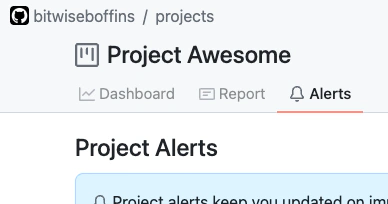
Project Alerts can be found by navigating to your Project, then choosing the “Alerts” tab:
To create a Project Alert, press the “New project alert” button, then follow the standard steps for creating an Alert.
Special Alert Variables
In addition to the standard alert variables, Project Alert expressions can use these additional variables:
- Project Repos
- Project Teams
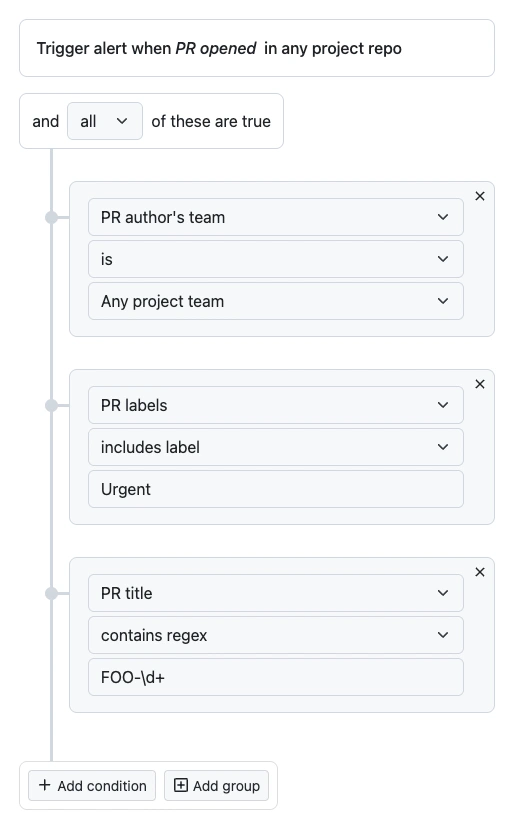
This allows you to create alert expressions such as this one, which triggers whenever a PR is
opened in one of the Project’s repos by a member of a Project team, and that PR has label Urgent
and the title has a JIRA ticket ID for the JIRA project FOO.
Project Alert Notifications
Project Alerts can notify you in realtime via Slack, email, or Telegram, and can also be included in the Project Report. Just check the “Include the alert in the project report” checkbox on the Notifications page:
