Viewing previous GitDailies alert events
When an Alert triggers, this is called an
Alert Event. You can view Alert Events from the Alert’s
page.The Alerts List
To navigate to the Alerts list, first, choose the Alerts tab:

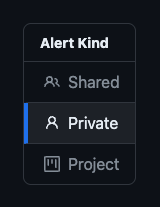
then choose Shared or Private depending on the
type of Alert you wish to view. Project alert
events are found in the
Project’s alerts tab.
You will now see a list of Alerts:

Alert Settings and Events
Clicking on any Alert in the list takes you to the page for that alert.
Here you can view and modify the Alert settings:
…and also see a list of an Alert’s Events in a time period:
