Your review queue
What needs me today?
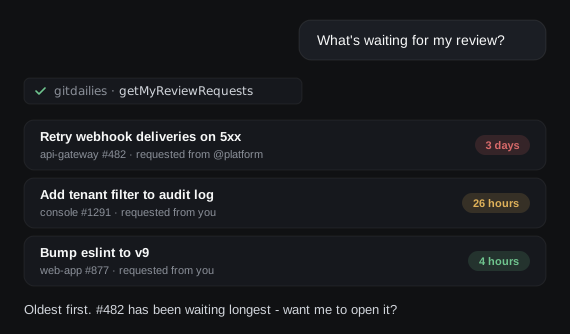
Your agent sees your open PRs and outstanding review requests - including those requested from your teams - so it can tell you what to pick up first.
MCP server
The GitDailies MCP server gives AI agents the same PR metrics, DORA metrics, review queues, and alerts you see in GitDailies - with drill-downs to the exact PRs behind every number.
Your review queue
Your agent sees your open PRs and outstanding review requests - including those requested from your teams - so it can tell you what to pick up first.
DORA metrics
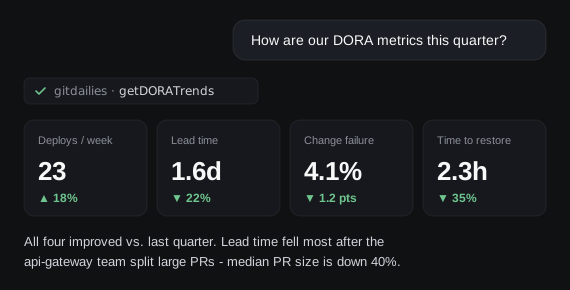
Ask how delivery is trending by week, month, or quarter, per repo or across the org. Your agent gets the four DORA metrics straight from GitDailies.
Investigations
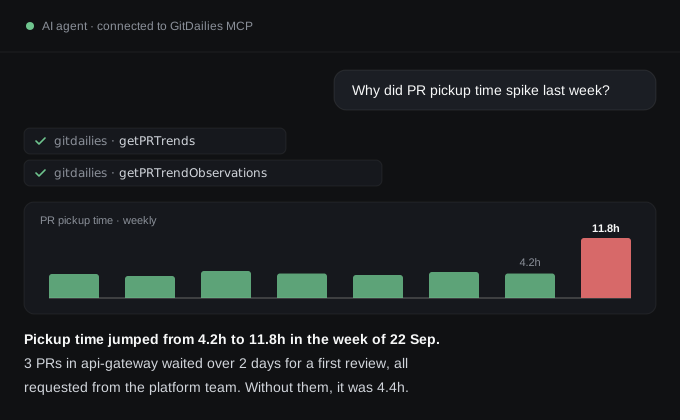
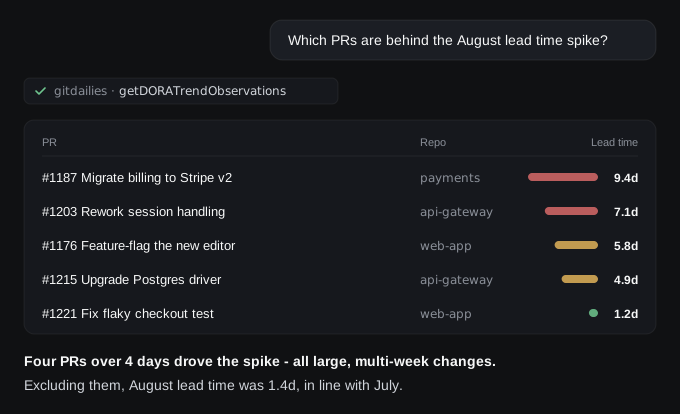
When a metric moves, your agent can drill into the exact PRs, reviews, deploys, or incidents behind any week or month.
Filter and split by repo, team, user, or label, exclude bots and weekends, and get the same numbers as your GitDailies dashboards.
Standups and updates
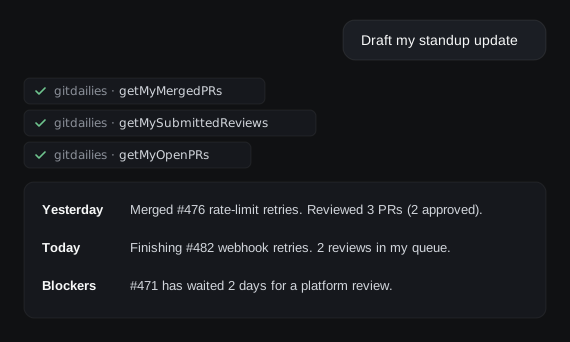
Your agent pulls what you merged, what you reviewed, and what’s still open, then drafts your standup, weekly update, or retro notes.
Alerts
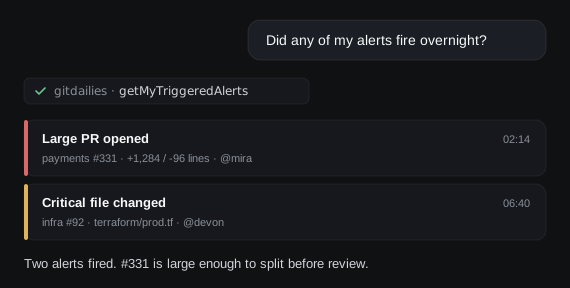
Your personal GitDailies alerts - huge PRs, critical files changed, PRs stuck in review - are available to your agent, with the events that triggered them.
Setup
Claude, Claude Code, ChatGPT, Cursor, VS Code with GitHub Copilot - or any MCP client, including agents you build yourself.
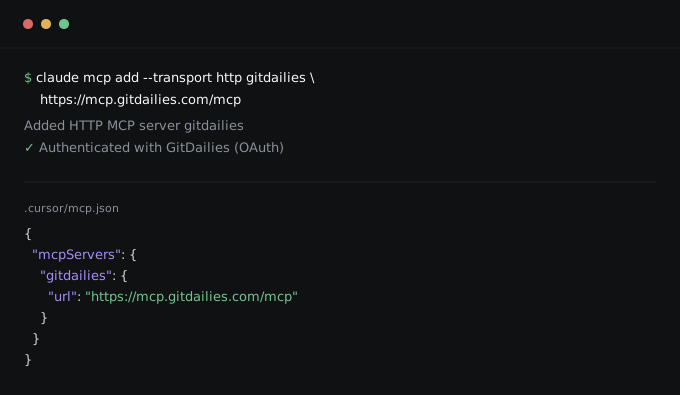
Add one URL and sign in with OAuth. Hosted for you: no API keys, nothing to install, nothing to run.
Why GitDailies
GitHub's MCP server is built for working with code: reading files, opening issues, managing PRs. But engineering metrics aren't sitting in GitHub waiting to be read. They have to be collected, joined, and computed - and that's exactly what GitDailies does.
01
GitDailies captures every PR, review, and deploy event as it happens, and structures it into metrics and observations designed for agents to query - not raw API payloads.
02
Pickup time, lead time for change, change failure rate: each is derived from several events across PRs, reviews, commits, deploys, and incidents. GitDailies computes them accurately and reliably, by the same definitions every time.
03
LLMs are brilliant at spotting patterns, and unreliable at arithmetic over thousands of rows. GitDailies does the heavy lifting of gathering and computing metrics; your agent does what it’s best at - finding the patterns, explaining causes, and adding color and insight.
04
Split and filter by team, repo, user, label, and branch. Exclude bots, drafts, small PRs, and weekends in your time zone. Bucket by day, week, month, or quarter. GitHub’s API doesn’t aggregate any of this - GitDailies exposes it all in a form your agent can use effortlessly.
05
GitDailies watches your GitHub activity with custom alert rules - huge PRs, changes to critical files, stalled reviews. Your agent can see which alerts fired, and the events that triggered them.
06
Drill-down tools return the exact PRs, reviews, and deploys behind any data point. When your agent tells you lead time spiked, it can show you why - and you can check its work.
Better together. Keep GitHub’s MCP server for working with code, and add GitDailies for answers about how your team delivers.
The GitDailies MCP server is hosted for you. There’s nothing to install or run. Add this URL to any MCP client that supports remote servers, and sign in with GitDailies when prompted:
https://mcp.gitdailies.com/mcpTo get started first install the GitDailies App for GitHub in your GitHub organization, then follow the step-by-step setup guide for Claude, ChatGPT, Cursor, VS Code, and other clients. See the tools reference for everything your agent can do, and example prompts to try first.
MCP access is included in every plan, and Pro and Team start with a 14-day free trial.
The MCP server is read-only: your agent can query metrics, but can’t change anything in GitHub or GitDailies. Each connection signs in with OAuth and is bound to a single GitHub organization, and your agent only sees the repos that you follow in GitDailies. Like the rest of GitDailies, the MCP server works from GitHub metadata only - it never reads your source code.
Please see our privacy policy and security page for full details.
Questions
Install GitDailies in 90 seconds, then connect your AI agent with one URL.