Updating Slack permissions
Updating Slack permissions must be done by an Org admin. If you need assistance, just contact
support@gitdailies.com
Occasionally, the GitDailies App for Slack has its permission scopes updated to enable new functionality in Slack. For the new functionality to be available, you need to review and approve the scopes.
To review the scopes, go to Settings -> Notifications in the GitDailes web app. In the
Slack Section, if you see the text “Update Slack permissions to get the latest functionality”,
there are updated scopes to approve. Click on Review permissions to view the changes.
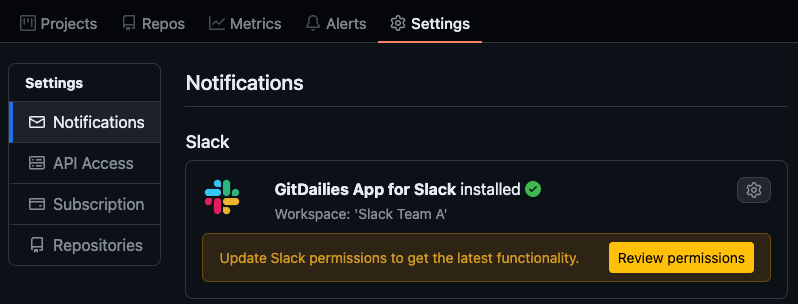
If you don’t see the “Update Slack permissions…” text, you are up to date!